 / blog
pg_statviz 1.0 released with AI-powered analysis

I'm excited to announce release 1.0 of pg_statviz, the minimalist extension and utility pair for time series analysis and visualization of PostgreSQL internal statistics.
This is a major release that introduces a new optional capability: AI-powered analysis. With the new --ai flag, each chart's data and PNG are sent to a vision-capable LLM along with Senior PostgreSQL DBA-level context, and the model produces a [HEALTHY] / [WARNING] / [CRITICAL] verdict, a short interpretation, and a concrete remediation step for any [WARNING] or [CRITICAL] finding. Reports are written as HTML pages, created alongside the chart PNGs, with a top-level index.html synthesising the per-module findings into a single summary.
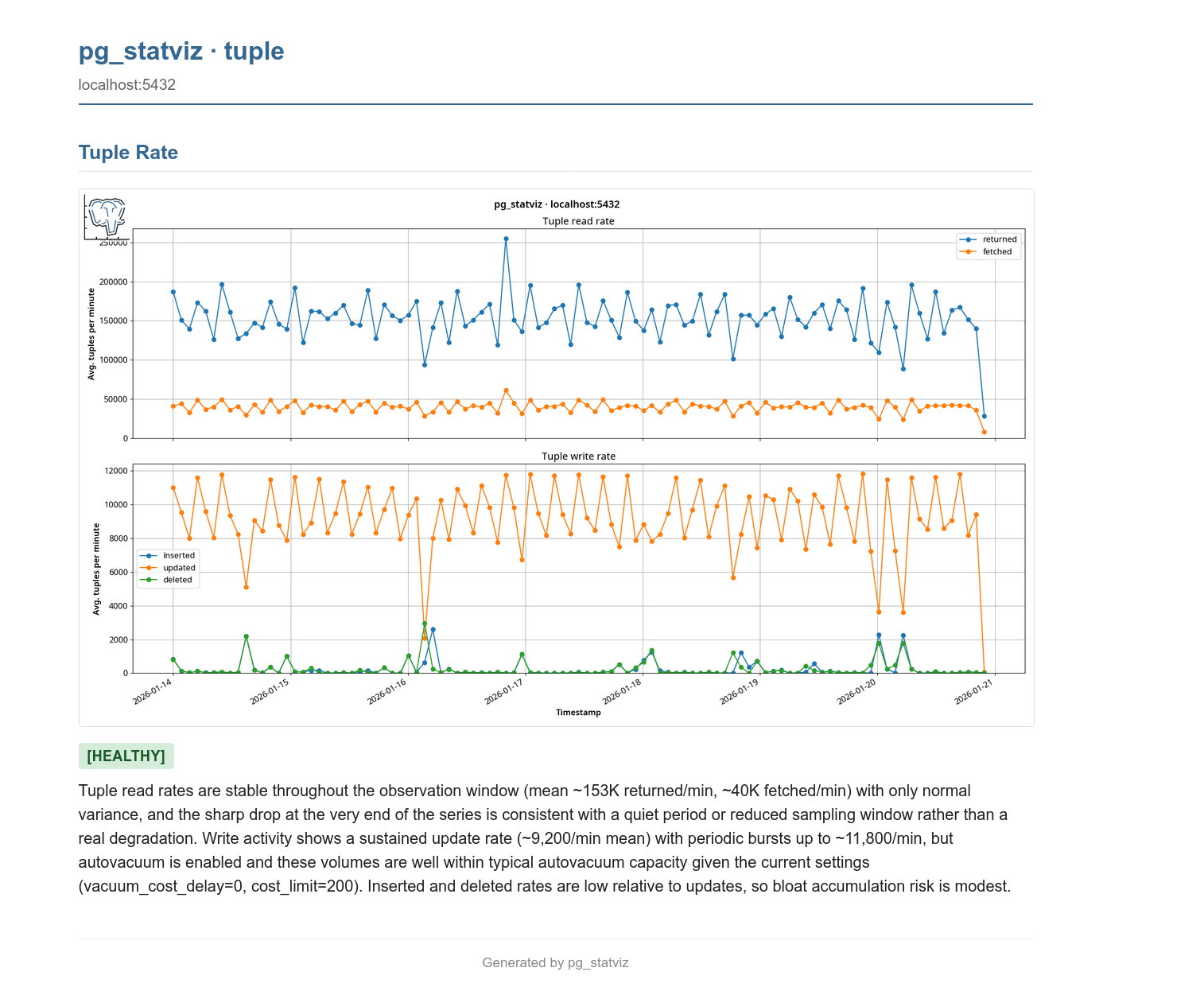
The new features:
- Three AI providers, one flag:
--ai claudefor Anthropic Claude (the default),--ai geminifor Google AI Studio's free-tier Gemini 2.5 Flash, and--ai localfor an Ollama instance running a vision-capable model such asgemma4:e4b(the recommended local default). All three are entirely optional:pg_statvizstill installs and runs with zero AI dependencies, and the new[ai]extra (pip install pg_statviz[ai]) pulls in only what you ask for. - Per-module HTML reports embed each chart PNG and render the LLM's markdown analysis with status badges and styled paragraphs. A new top-level
index.htmlreport aggregates per-chart verdicts and asks the model to synthesise them, identifying correlated patterns across charts (for example, a WAL spike alongside long-running sessions) and surfacing the single most important next action. - Deterministic rules engine runs checks on the actual numeric data before the LLM call. Findings are injected into the prompt as additional context, and a severity floor enforces that the final verdict can never be downgraded below the worst rule finding, so an overly optimistic LLM can't quietly hide a real problem.
- Configuration-aware prompts: the relevant
pg_settingsfor each chart (shared_buffersandbgwriter_*for buffers,checkpoint_*andmax_wal_sizefor checkpoints,max_connectionsfor connections, etc.) are pulled from the captured config snapshot and rendered into the per-module prompt, so the model's advice is grounded in your actual server rather than generic folklore. - Calibration block in the system prompt explicitly debunks common PostgreSQL myths (the "25% of RAM for shared_buffers" rule of thumb, the default
random_page_cost=4, naivework_mem × max_connectionsarithmetic) so the model doesn't recommend changes that aren't really warranted. - Prompt-injection containment: every piece of user-derived data is wrapped in
<user_data>...</user_data>envelopes, and the system prompt instructs the model never to treat that content as instructions. This makes the analysis robust against unexpected values in configuration, role names, slot names, query text, or anywhere else.
This release also includes some maintenance and optimizations:
- The
analyzeorchestrator now gracefully continues if a single module finds no snapshot data, instead of aborting the whole run at that point. - Test fixes for the I/O rate calculations and added coverage for the new AI functionality.
pg_statviz takes the view that everything should be light and minimal. Unlike commercial monitoring platforms, it doesn't require invasive agents or open connections to the database: it all lives inside your database.
The extension is plain SQL and PL/pgSQL and doesn't require modules to be loaded, the visualization utility is separate and can be run from anywhere, and your data is free and easy to export. The new AI analysis is fully optional and opt-in: if you don't pass --ai, pg_statviz behaves exactly as before, with no extra dependencies and no calls to anything outside your machine.
pg_statviz only collects PostgreSQL internal statistics and metadata: no application data. However, be aware that if you use a third-party API rather than a local LLM, you are effectively uploading those statistics to someone else's server, with the security and privacy implications that may have, and the LLM provider's terms of use probably permit using your input for further training of their product. If you want strict local-only operation, use --ai local.
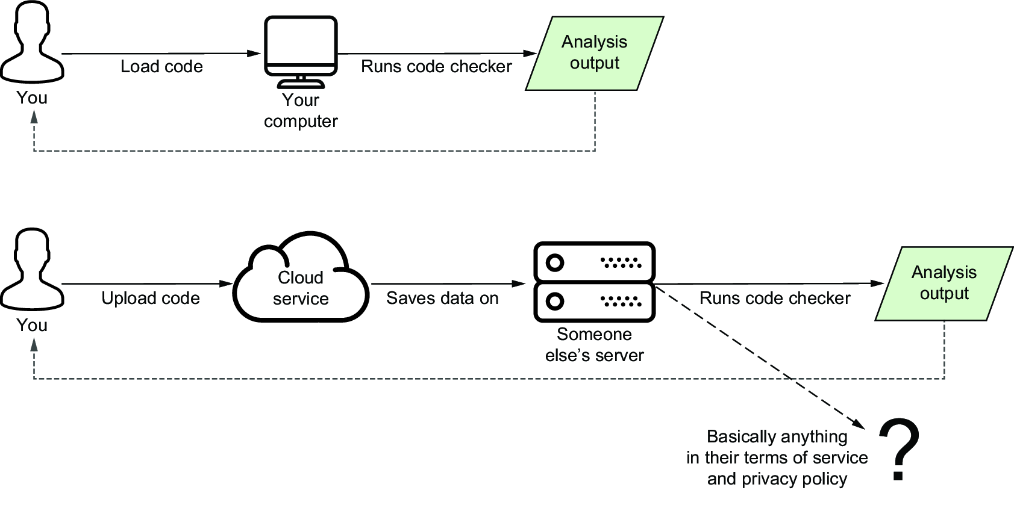 Handy illustration from my book 🙂.
- You can download and install
pg_statvizfrom the PostgreSQL repositories or PGXN. - The utility can also be installed from PyPi; for the AI features use
pip install pg_statviz[ai]. - Manual installation is also possible.